【解決】AndroidアプリにNewRelic SDKを導入するときにエラーで詰まった
NewRelic Mobile SDKを導入して、Androidアプリのモニタリングを試そうとしたときに遭遇したエラーの解決記事です。
エラーに遭遇: Failed to apply plugin 'newrelic'. > API 'android.registerTransform' is removed.
以下のページに記載されている説明通りに進めていたところ...
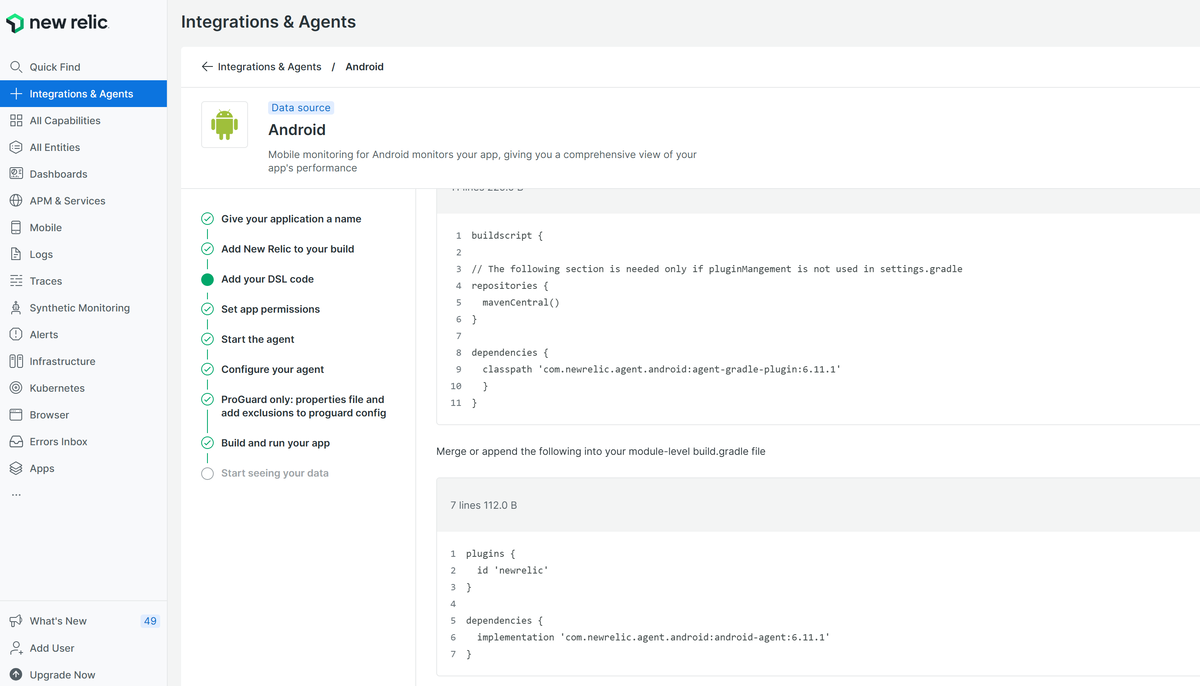 アプリケーションのビルドにて、以下のようなエラーに遭遇。newrelicプラグインのapplyに失敗した様子。とらいえずエラーのようで色々調べてみた。
Build file 'C:\Users\xxxxx\AndroidStudioProjects\sampleapp\app\build.gradle' line: 5

An exception occurred applying plugin request [id: 'newrelic']
> Failed to apply plugin 'newrelic'.
   > API 'android.registerTransform' is removed.
解決
どうやらAndroid Gradle PluginのregisterTransform APIは、バージョン8.0で削除された様子。一方NewRelicプラグインのv7未満はAGPのv3.4以上7.2未満の対応のため、エラーが発生したらしい。
詳しい要件については以下公式ページに載っているのでこれに従うとよさそう。
どうやら現在の状況では、NewRelicプラグインのv7以上を利用する必要があるらしい。 バージョンはGitHubのリリースページで確認できるので、要件に合致するバージョンを選択。本記事では執筆時(2025/09/03)最新の7.6.8を選択した。
ということでbuild.gradleを変更し、再度ビルドを試した。
エラーに遭遇: 2 issues were found when checking AAR metadata:
再度ビルドを実行したところ、次は以下のようなエラーに遭遇
2 issues were found when checking AAR metadata:

  1.  Dependency 'androidx.core:core:1.17.0' requires libraries and applications that
      depend on it to compile against version 36 or later of the
      Android APIs.

      :app is currently compiled against android-35.

      Recommended action: Update this project to use a newer compileSdk
      of at least 36, for example 36.

      Note that updating a library or application's compileSdk (which
      allows newer APIs to be used) can be done separately from updating
      targetSdk (which opts the app in to new runtime behavior) and
      minSdk (which determines which devices the app can be installed
      on).

  2.  Dependency 'androidx.core:core-ktx:1.17.0' requires libraries and applications that
      depend on it to compile against version 36 or later of the
      Android APIs.

      :app is currently compiled against android-35.

      Recommended action: Update this project to use a newer compileSdk
      of at least 36, for example 36.

      Note that updating a library or application's compileSdk (which
      allows newer APIs to be used) can be done separately from updating
      targetSdk (which opts the app in to new runtime behavior) and
      minSdk (which determines which devices the app can be installed
      on).
エラーメッセージを調べたところ、どうやらアプリが利用しているライブラリの一つ(androidx.core:core:1.17.0)が、Android APIのバージョン(android-35)よりも新しいバージョン(36以上)を要求している様子。
実際に確認してみるとbuild.gradle(app)ではcompileSdkが35に設定されていた。これが古いらしい。
android {
    namespace 'com.example.sample_app'
    compileSdk 35

    defaultConfig {
        applicationId "com.example.sample_app"
        minSdk 24
        targetSdk 35
        versionCode 1
        versionName "1.0"

        testInstrumentationRunner "androidx.test.runner.AndroidJUnitRunner"
    }
解決
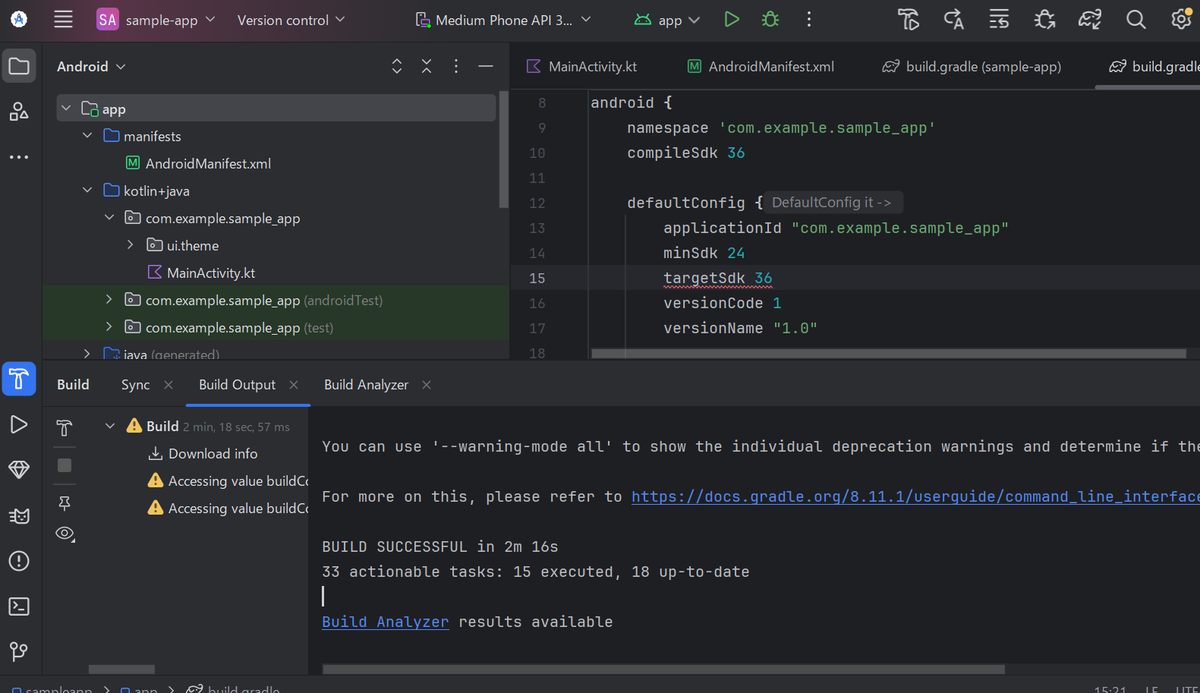
build.gradle(app)のcompileSdkとtargetSdkを両方35から36に変更。
再度ビルドを回したところビルドに成功。アプリケーションの起動からNewRelicとの接続検証もうまくいきました。